
Your trades, still there.
Still adding up.
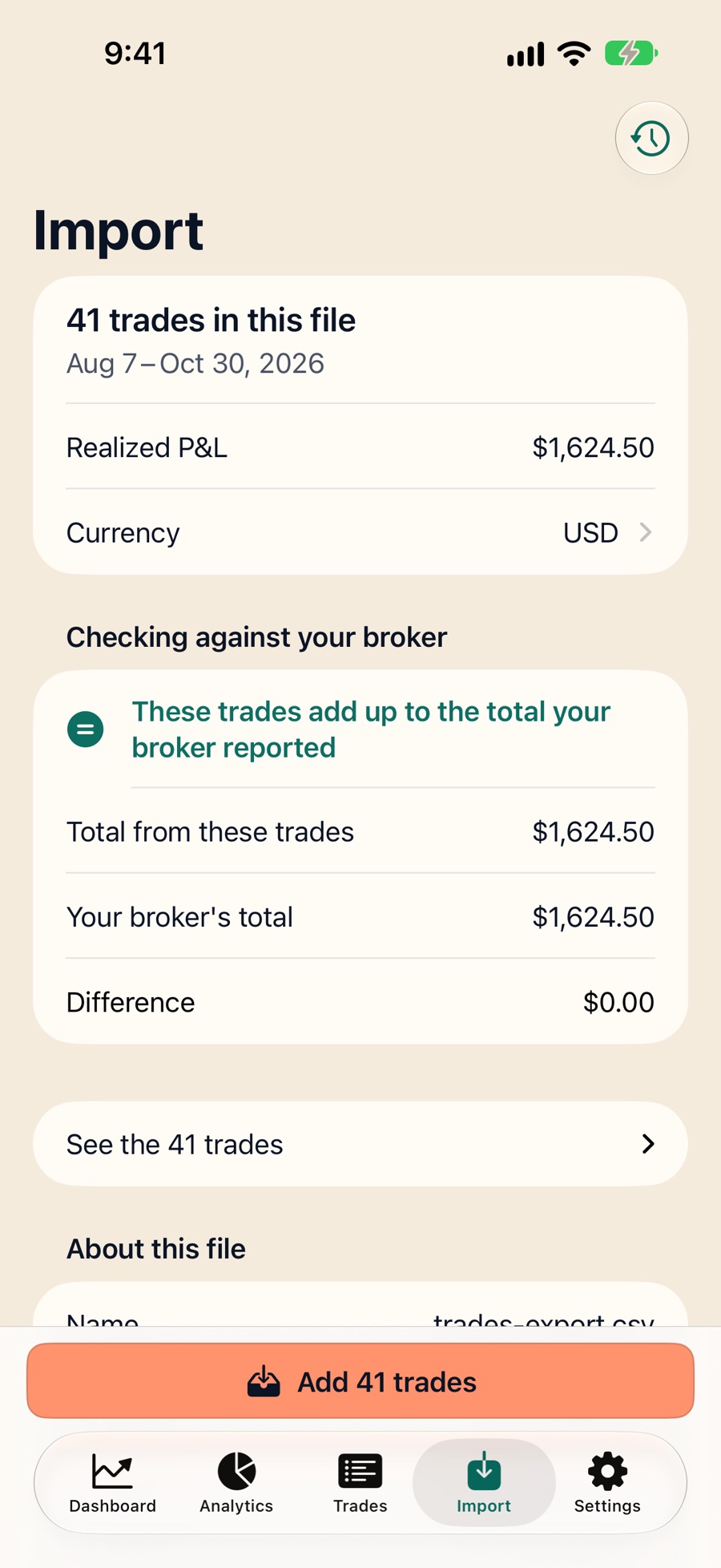
A trade journal that never loses a trade and never quietly changes a number. Import your broker statement and check it against the total your broker reported.
In private beta — join the list for early access. Starting your journal will be free. One email when it opens; nothing else.
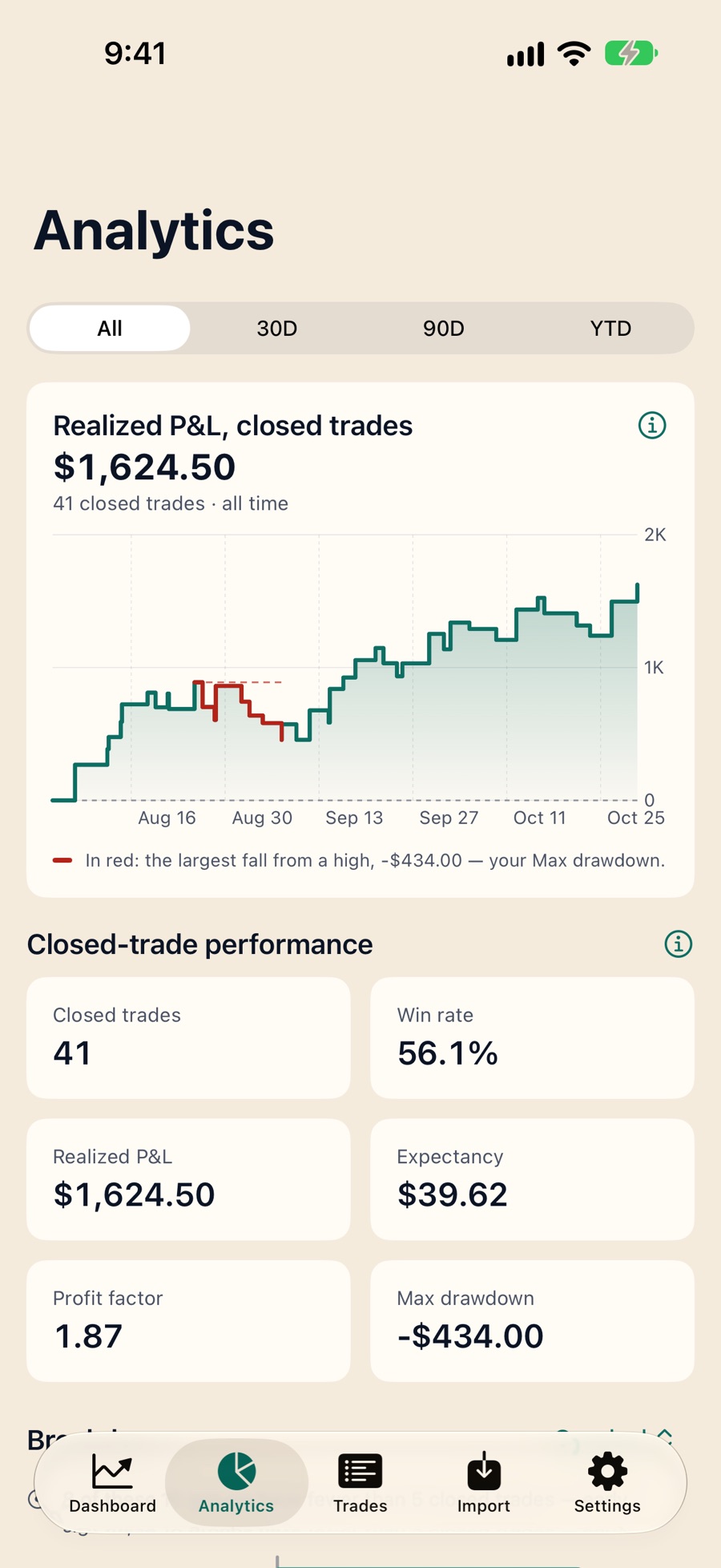
Never loses a trade. Never changes a number on its own.
Traders describe the same failures in journal apps again and again — and none of them are about a rounding error.
“It wiped six months of my trades.” · “My P&L changes on its own.” · “Everything computed to zero.” · “A short that stopped out for a loss shows up as a profit.”
Fillometry is built so those things cannot happen quietly:
- Every import is all-or-nothing. A statement goes in completely or not at all, and you can undo a whole import in one step.
- The same trade can’t be added twice. Re-importing a statement is caught three separate ways, before anything is written.
- Money is exact arithmetic. Every amount is stored and calculated as an exact decimal, never as a floating-point approximation.
- Unpriced means unpriced. An open position without a price is shown as unpriced. It is never displayed as zero.
- Your journal lives on your iPhone or iPad. There is no account and no server that can lose it, and you can export an exact copy any time.
Built for iOS, not shrunk to fit it.
The most common complaint about trading journals isn’t about the maths. It’s the app: menus hidden under the notch, text too small to read, bugs reported for years and never fixed.
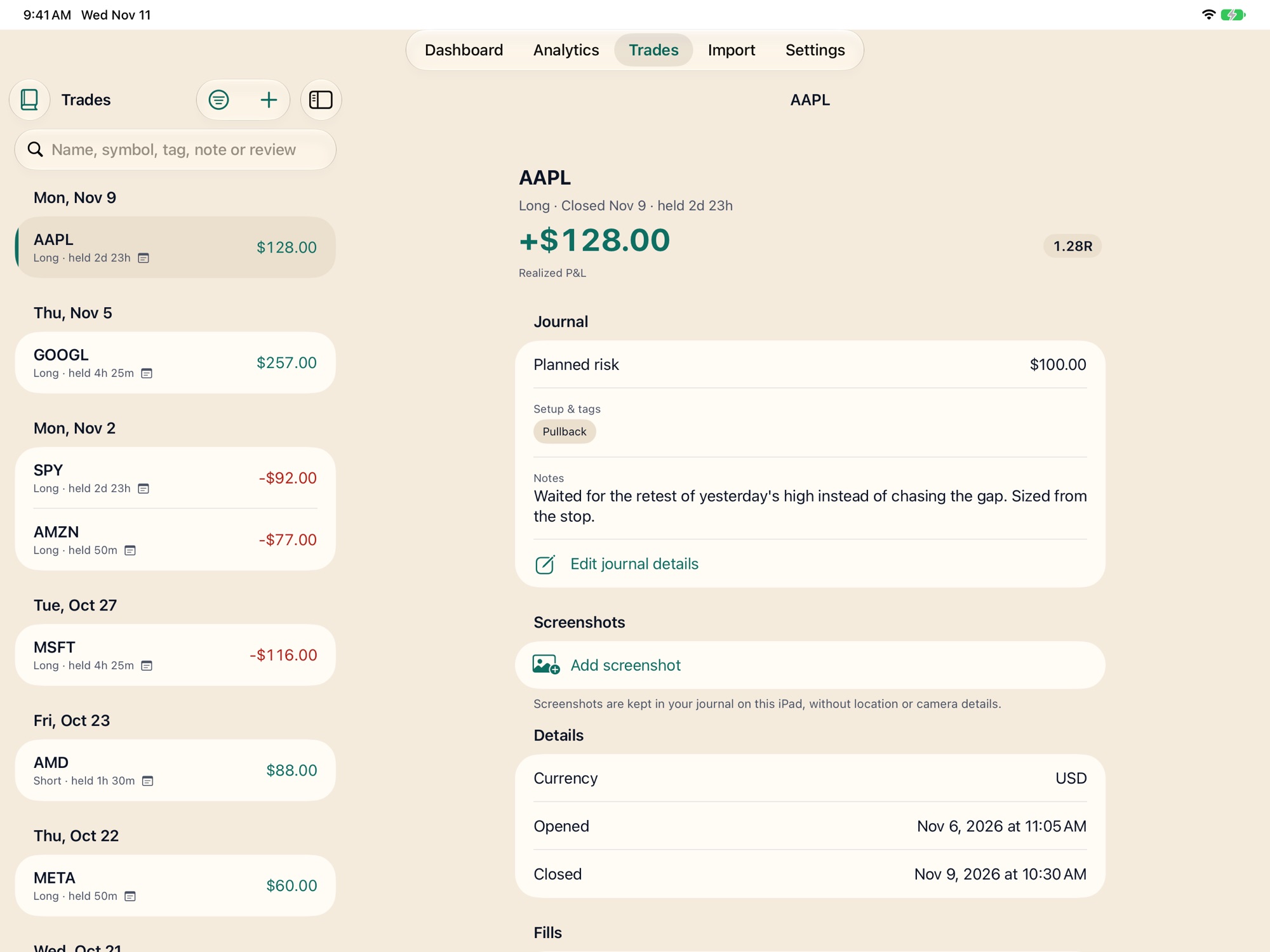
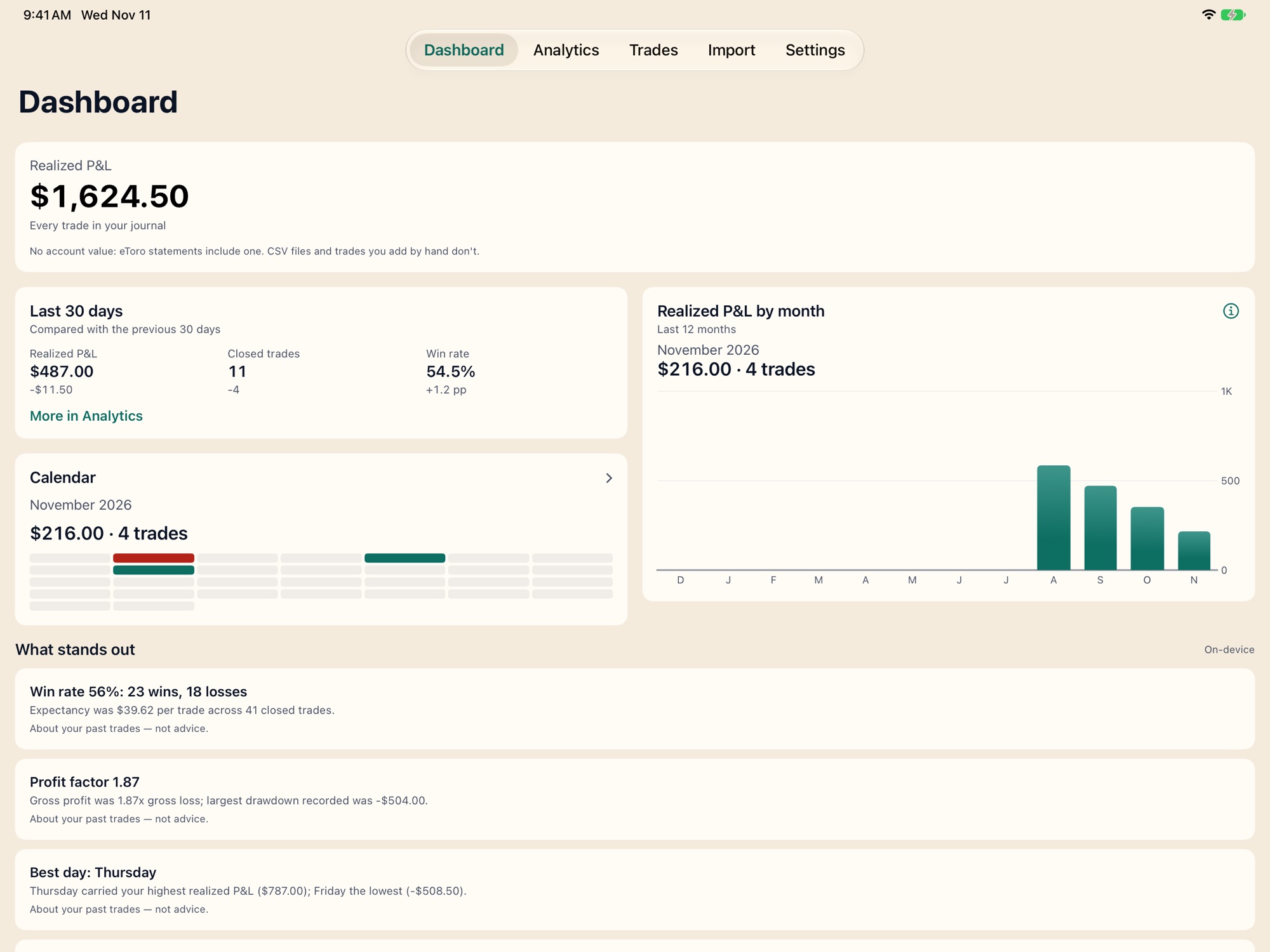
Fillometry is a native iOS app. No web view, no wrapper. It works the way your other apps work, and it does not need a connection to open your journal. On iPad it’s native too: your trades sit beside the one you’re reading, Dashboard and Analytics use the full width, and ⌘N, ⌘I and ⌘F work from a keyboard.
Journaling that’s actually pleasant.
What traders praise most in a journal is the writing part — notes, tags, the feeling of a record kept.
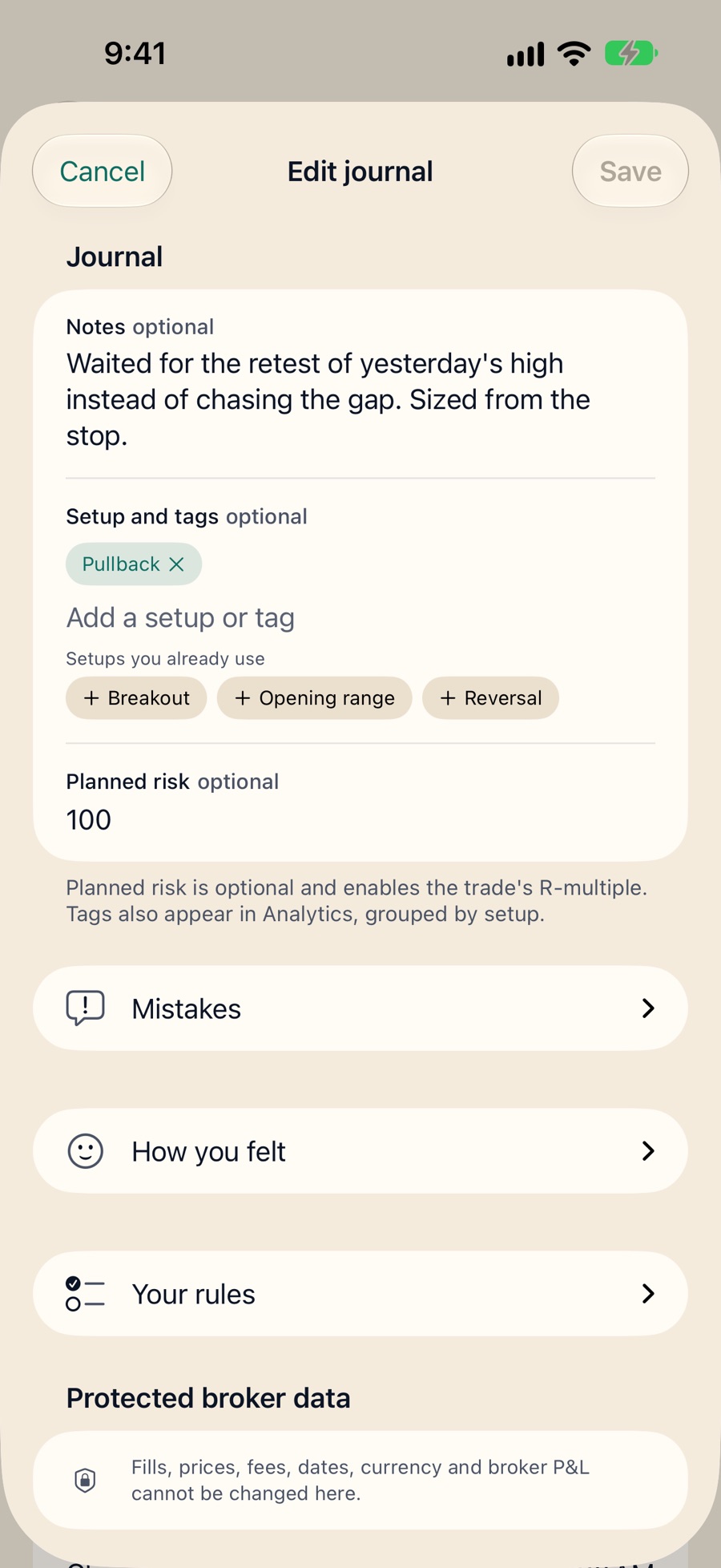
- One gesture. Swipe a trade to add notes, a setup and your planned risk. No digging through screens.
- Tags you choose, not retype. Existing setups are offered as you type, so “Breakout” and “breakout” never split into two.
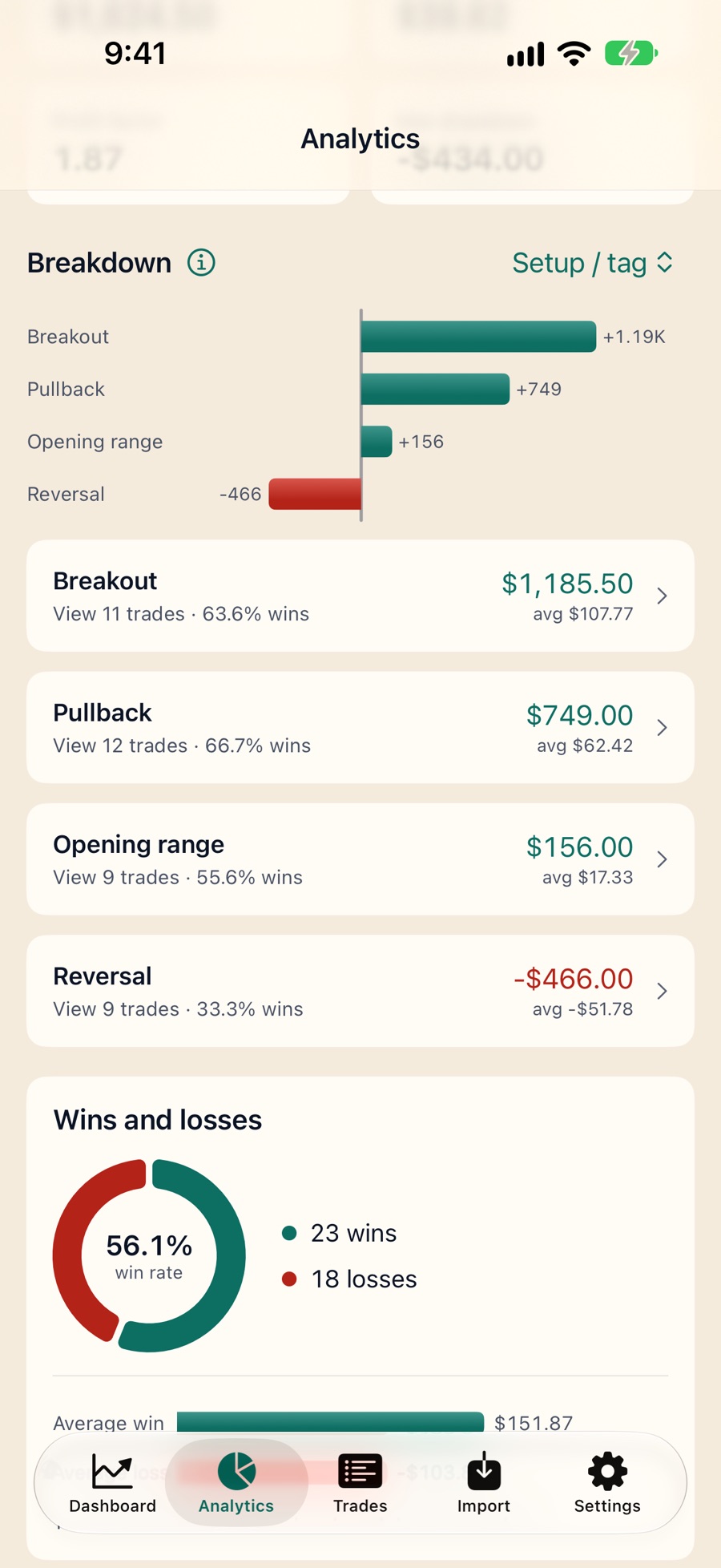
- Then see how each setup actually went. Every tag becomes a line in your breakdowns.
What it does
Import your broker statement
eToro account statements today, and CSV exports of stock and ETF trades from other brokers, with a column mapper you set up once and reuse. Everything is previewed before anything is saved.
Check against your broker’s total
Fillometry adds up what it imported and checks it against the total your broker reported. If they differ, it says so and by how much. If your file carries no total, it says that too — it never invents one.
Journal a trade in one gesture
Notes, setup tags, planned risk and screenshots of the chart on any trade — imported or entered by hand — without touching the financial record.
Analyse by setup, symbol and day
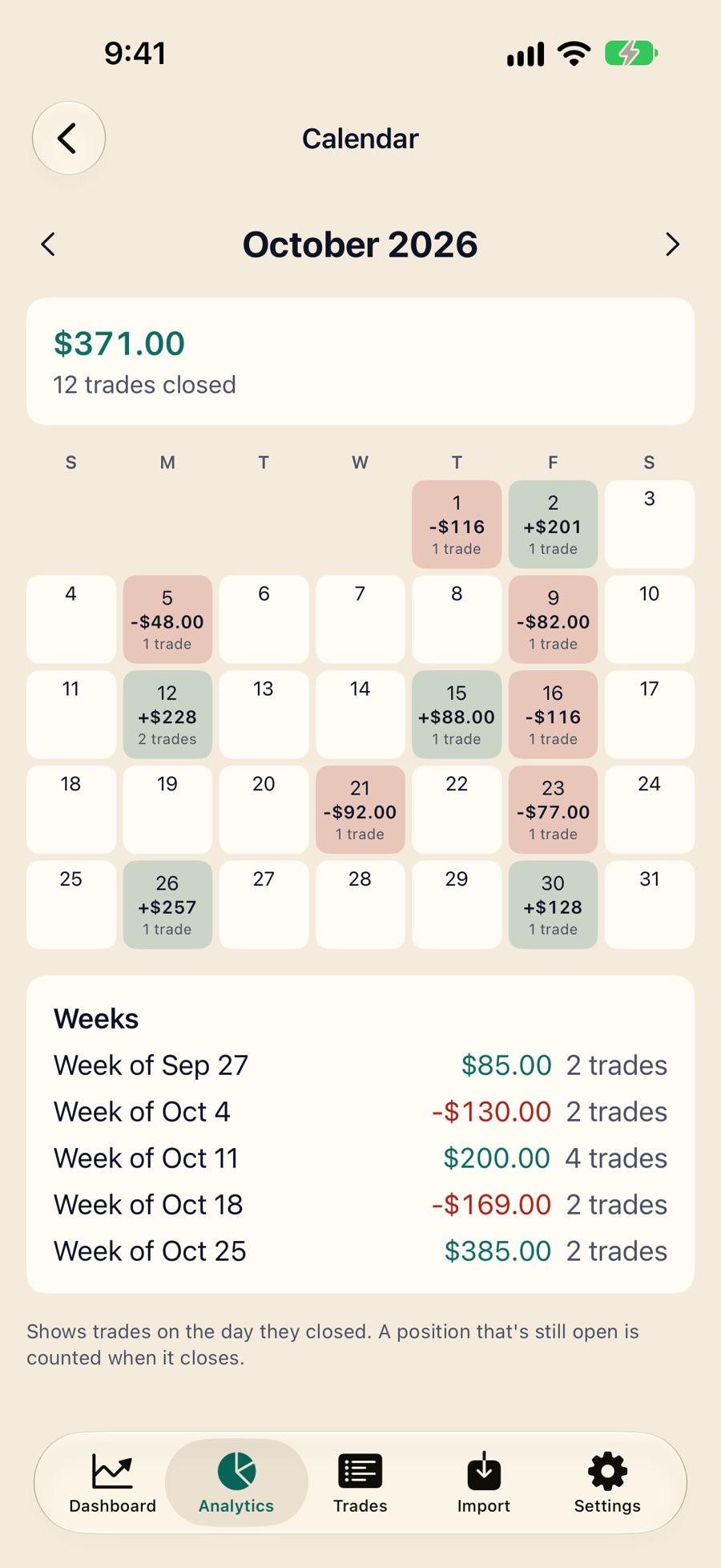
Win rate, expectancy, profit factor and drawdown on closed trades, broken down by setup, symbol, weekday, session and hour — and compared with the previous period.
Enter trades by hand, options included
Stocks, options and multi-leg spreads, fill by fill, for trades you don’t have a statement for.
Fillometry is analytics and record-keeping. It does not give advice and it does not place trades.
Get early access
Fillometry is in private beta. Leave your email and you’ll hear from us when it opens — and not otherwise.